Image background Remove – How to Easily Get a Clean, Professional Look for Your Photos
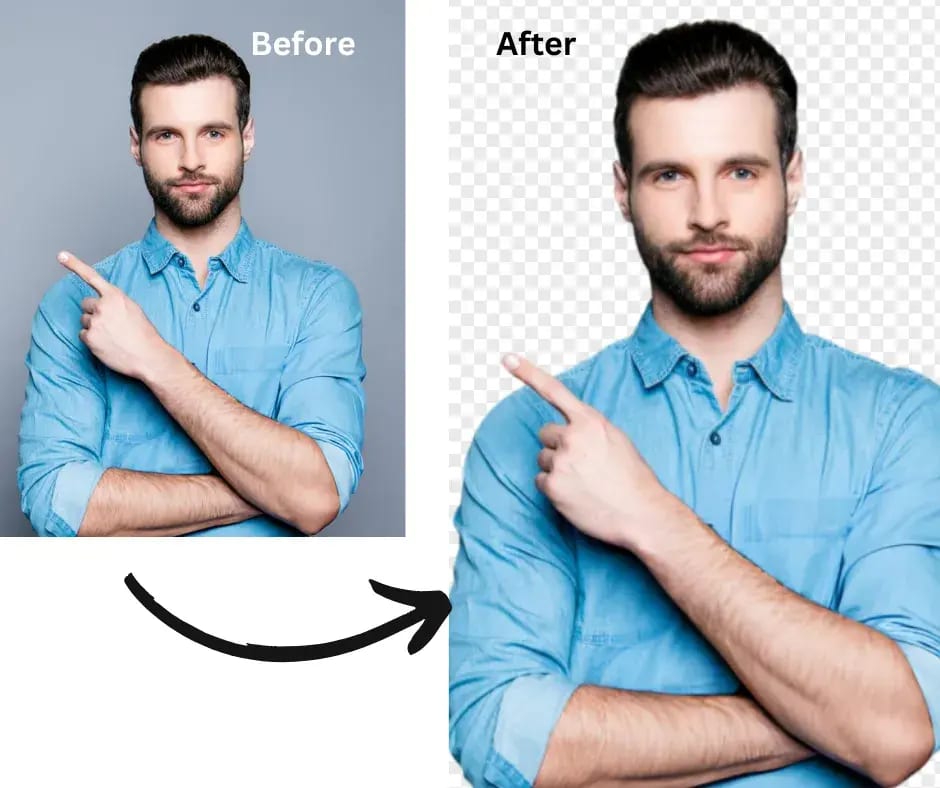
Image background Remove is something almost everyone needs at some point — whether you’re creating product images for your online store, designing marketing banners, or just trying to make your photos look cleaner and more professional. The good news? You no longer need expensive software or editing skills to do it.
What Does “Removing an Image Background” Mean?
When we talk about removing a background, we mean isolating your main subject (a person, product, or object) and deleting the rest of the scene behind it. This leaves you with a transparent background that can be replaced, customized, or simply left clean.
Before AI tools existed, this used to take hours in Photoshop — manually tracing edges, refining selections, and fixing little details. Now, AI can do it for you in seconds.
Why It Matters More Than You Think
A clean background instantly makes your photo look sharper and more polished. For example:
- Online sellers use it to make their products stand out on white or colored backgrounds.
- Designers use it to blend subjects into creative layouts.
- Content creators use it for thumbnails and profile pictures that look professional
Even casual users benefit from it — think about removing clutter from behind your favorite photo before posting it on social media.
AI vs. Manual Editing – What’s Better?
If you’ve ever tried removing a background manually, you know it can be tedious. Tools like Photoshop or GIMP give great control, but they take time and skill.
AI tools, on the other hand, use machine learning to instantly detect the subject and erase everything else. They’re fast, simple, and usually accurate enough for most everyday uses. Unless you’re doing ultra-detailed commercial retouching, AI background removal is the smarter choice.
How AI Background Removal Works
AI models are trained on countless photos of people, objects, and products. When you upload an image, the system identifies edges, colors, and contrast to separate the subject from the background. Within seconds, you get a crisp, isolated subject ready for download — no brush tools needed.
Try It Yourself – Free and Easy
If you want to see how easy it can be, check out SmartBGRemover.
It’s a free online tool that uses advanced AI to remove your photo background automatically. Just upload an image, let the tool process it, and download your new version with a transparent background — simple as that.
Tips for the Best Results
Here are a few small tweaks that can make a big difference:
- Use high-quality images with good lighting and contrast.
- Keep your subject clear and centered.
- Avoid busy or similar-colored backgrounds.
- Re-upload if you don’t get the desired result — AI can vary slightly with each pass.
- Once you’ve got your clean image, use an editor like Canva or Figma to add new backgrounds or effects.
Common Uses for Background Removal
- E-commerce: Consistent product photos that look trustworthy and professional.
- Marketing: Clean visuals for banners, posters, and campaigns.
- Social media: Polished thumbnails, profile pictures, and content posts.
- Personal use: Fun edits, collages, or digital art projects.
No matter the use, clean images simply look better — and they help your message stand out.
Final Thoughts
Thanks to modern AI tools, image background Remove has become easier and faster than ever. You don’t need to be a designer — you just need a good tool.
If you’re looking for something quick, reliable, and completely online, SmartBGRemover is worth trying. Upload, click, and you’re done — it really is that simple.